

ROLO Dispatch Training • Lesson 7
Lesson 7: Route Structuring — Preparing for Optimization
Learn how to organize routes correctly before assigning and optimizing deliveries.
If routes are not structured correctly, optimization will not work properly. Strong routing starts with clean operational structure.
Review Routes → Organize by Geography → Standardize Naming → Assign Drivers → Prepare for Optimization
Step 1: Review Existing Routes
Start by reviewing the current route list before making changes.
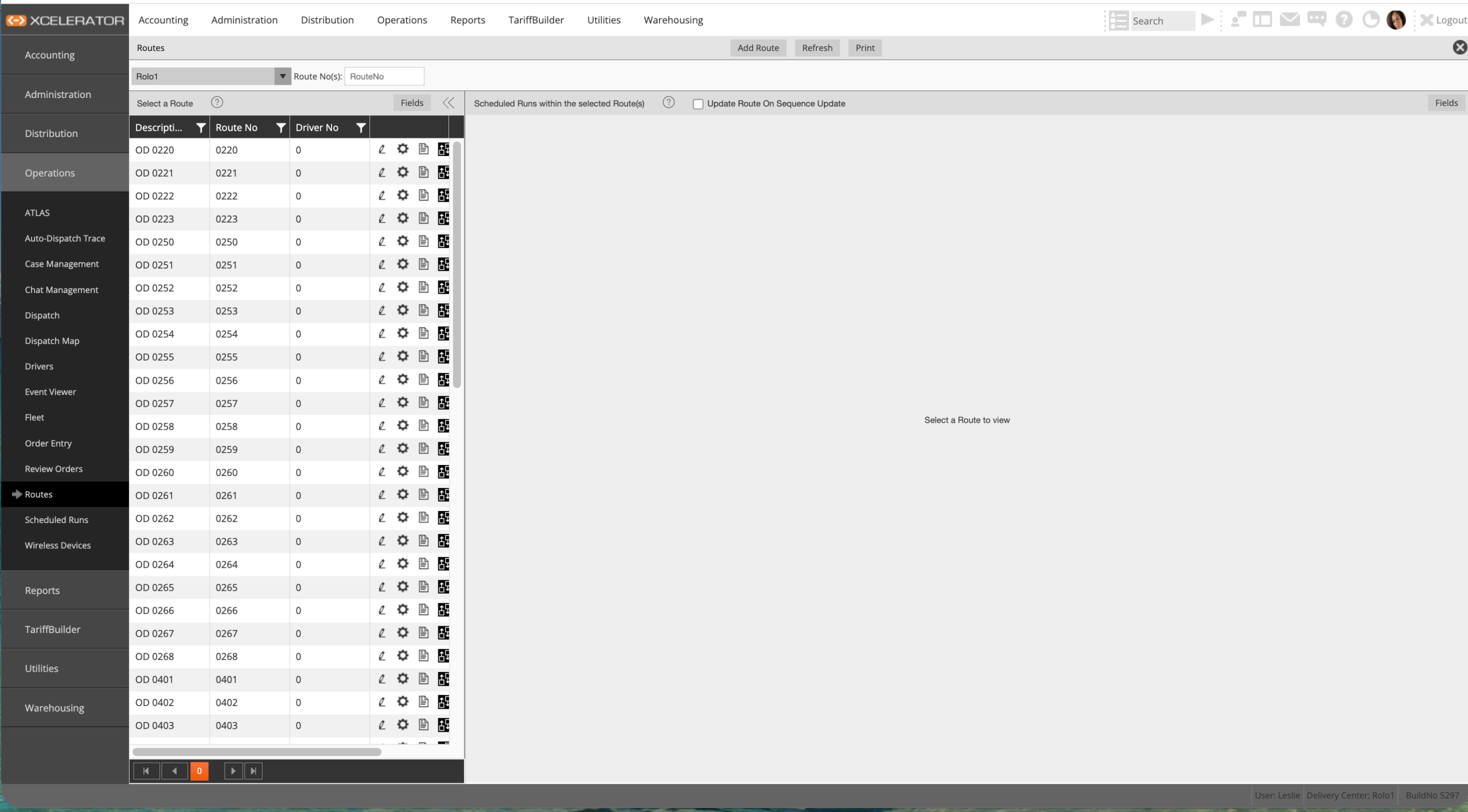
Routes screen
- Identify active routes currently in use
- Review route naming consistency
- Look for duplicate routes
- Identify unused or outdated routes
- Check for routes with overlapping coverage
Step 2: Organize Routes by Geography
Routes should follow geographic logic to reduce wasted miles and improve delivery speed.
- Create routes based on city, zone, or corridor
- Keep dense local deliveries together
- Avoid mixing distant delivery areas
- Build routes around repeatable service areas
- Support Florida corridor efficiency whenever possible
Example:
West Palm Beach deliveries should not be mixed with Miami deliveries unless operationally necessary.
West Palm Beach deliveries should not be mixed with Miami deliveries unless operationally necessary.
Step 3: Create Clean Route Names
Route names should immediately tell dispatch and drivers what the route covers.
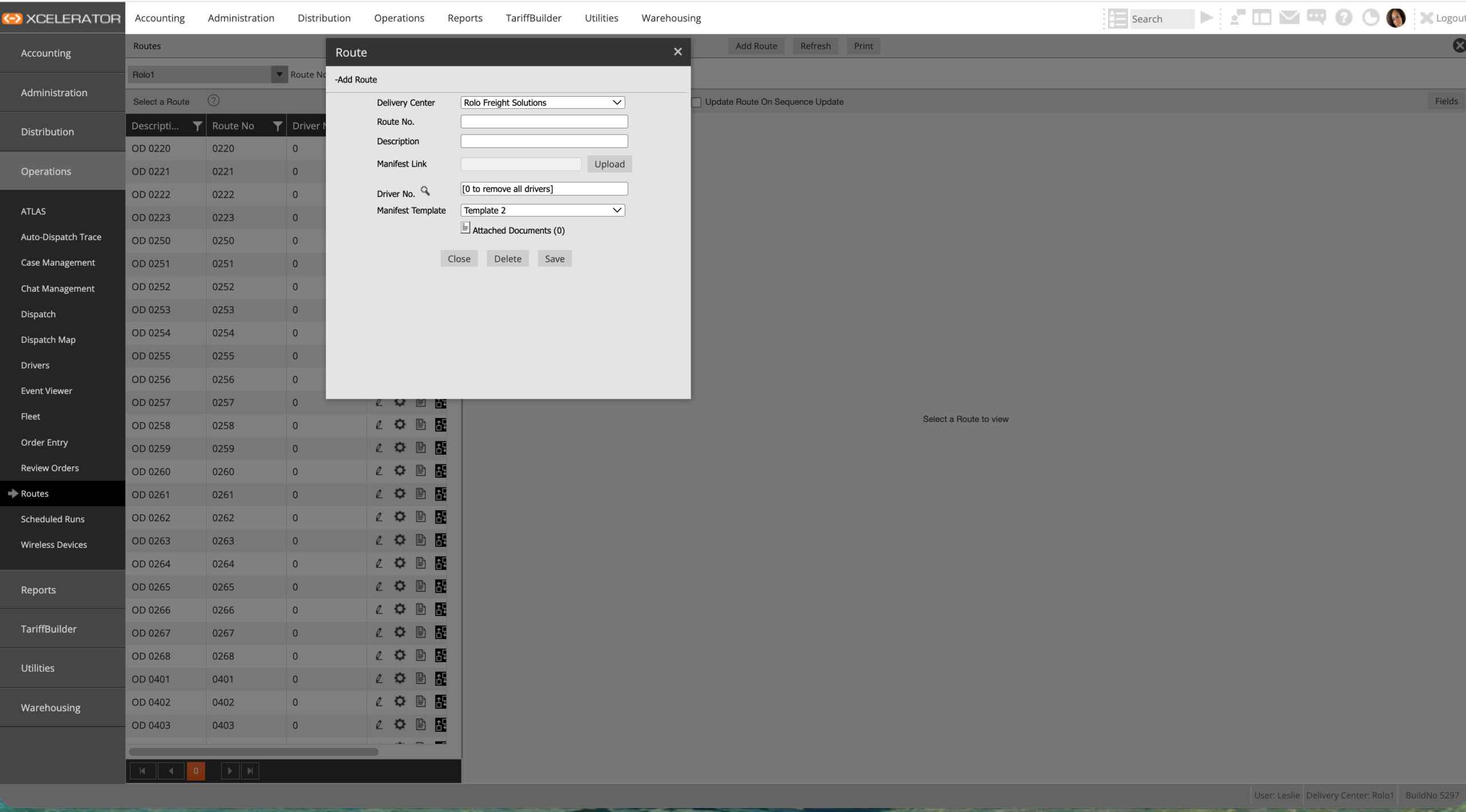
Add Route screen
- Use clear route names such as “West Palm Beach Route”
- Avoid vague names like “Route 1” or “Truck Route”
- Use naming standards consistently across the operation
- Make routes easy to identify quickly during live dispatch
Step 4: Assign Consistent Drivers
Consistent driver-to-route assignments improve operational performance.
- Keep drivers on familiar routes when possible
- Build driver familiarity with delivery areas
- Improve delivery speed and stop accuracy
- Reduce unnecessary dispatch support calls
- Support repeat customer relationships
Step 5: Prepare for Optimization
Optimization tools only work well when the route structure is already clean.
- Ensure routes are geographically logical
- Reduce route overlap
- Balance workload between drivers
- Minimize unnecessary crossover between routes
- Prepare routes for HERE Maps and optimization systems
Important:
Optimization tools like HERE Maps cannot fix poorly structured routes. Dispatch must organize routes correctly first.
Optimization tools like HERE Maps cannot fix poorly structured routes. Dispatch must organize routes correctly first.
Best Practices
- Keep routes tight and predictable
- Favor repeatable delivery patterns
- Use geographic grouping first before optimization
- Build routes around operational efficiency, not guesswork
- Review route performance regularly
Common Mistakes
- Creating random routes without structure
- Mixing multiple distant cities into one route
- Changing drivers constantly
- Using inconsistent route names
- Creating too many unnecessary routes
- Ignoring delivery density and geography
What Happens If You Don’t:
Poor route structure causes wasted miles, late deliveries, dispatch confusion, driver frustration, customer complaints, and weak optimization performance.
Poor route structure causes wasted miles, late deliveries, dispatch confusion, driver frustration, customer complaints, and weak optimization performance.
Do it now: Review your current routes and identify one route that should be reorganized for better geographic efficiency.
Success Check
- Review existing routes confidently
- Identify weak or inefficient route structures
- Create standardized route names
- Explain why geographic grouping matters
- Prepare routes correctly before optimization
- Support cleaner dispatch operations through structured routing
Clean route structure is the foundation for fast, efficient, scalable operations.