

ROLO Transport
Service-First Logistics Operations
Lesson 4: Microsoft App Launcher
Navigating to Outlook and Managing Email
Purpose
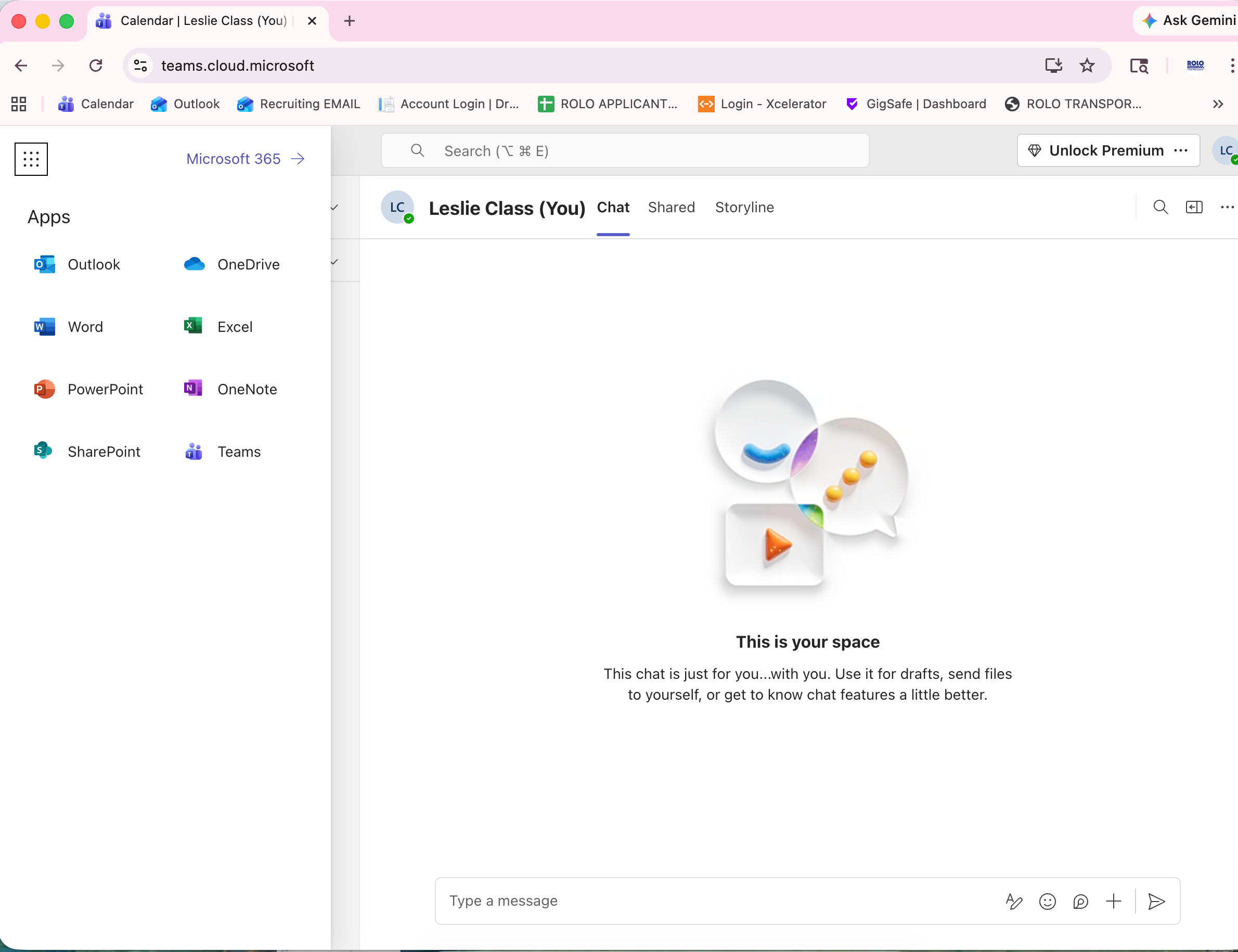
The App Launcher allows you to quickly access Microsoft tools like Outlook, Teams, and OneDrive from one place.
How to Open the App Launcher
- Open your web browser (Chrome or Edge)
- Go to office.com
- Sign in using your company email
- Click the App Launcher (grid icon in the top corner)
How to Open Outlook
- Click the App Launcher
- Select Outlook
- Your email inbox will open
How to View Your Calendar in Outlook
- Inside Outlook, look at the left side menu
- Click the Calendar icon
- Review your daily meetings and schedule
Daily Expectations
- Check your email at the start of your shift
- Continue checking email throughout the day
- Respond to important messages promptly
- Keep your inbox organized
Email Communication Basics
- Use clear and simple language
- State the purpose of your email early
- Include important details (load, location, issue, timing)
- Be professional and respectful
- Avoid long or confusing messages
Example Email
Subject: Route 255 Coverage Update
Driver for Route 255 called out this morning.
Backup driver has been assigned and route is covered.
Please let me know if any issues arise.
Common Mistakes
- Not checking email regularly
- Sending unclear or incomplete messages
- Missing important details
- Using informal or unprofessional language
ROLO Standard: Email communication should be clear, professional, and timely. This ensures customers, vendors, and internal teams stay informed and operations run smoothly.